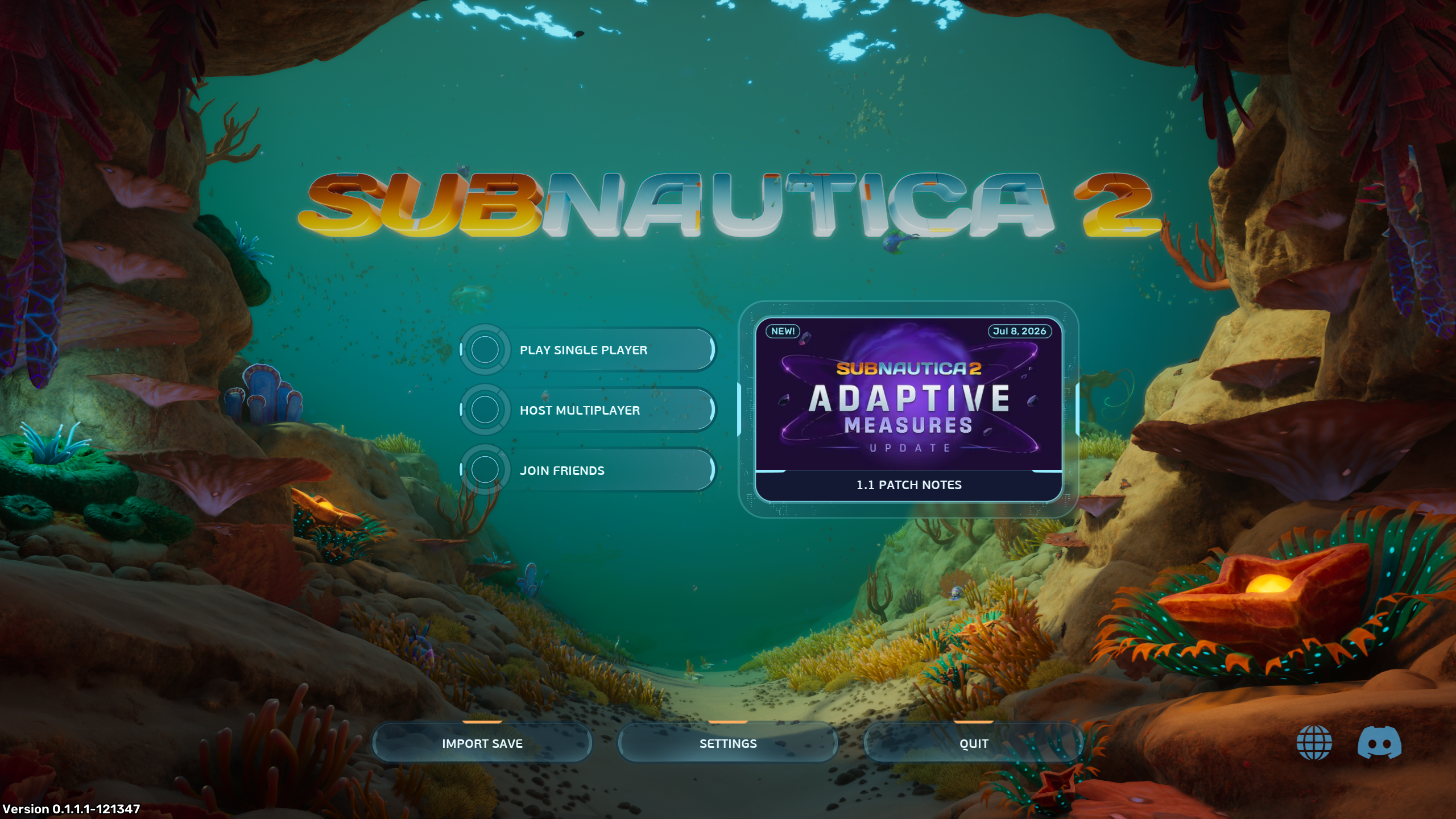
The Main Menu of Subnautica 2 is visible after a short few loading screens and disclaimers. It allows you to start the game, edit your settings, or close out the game.
Options
The menu features several buttons allowing the player to start, load, or join worlds as well as other options for navigation and troubleshooting.
- Player Single Player opens a menu to create or load a single-player world
- Host Multiplayer opens a menu to create or load a multiplayer world
- Join Friends opens a menu showing friends playing on multiplayer worlds, allowing the player to join them or add new friends
- Import Saves allows the player to import downloaded save games from the cloud
- Settings opens a set of menus for customizing the game experience
- Quit closes the game
- The Website and Discord buttons in the bottom-right corner lead to the official support website and the official Discord, respectively
- Clicking on the news block opens a menu with the news article and all previous articles
Background
The background of the menu features an immobile view of a Shallows-like area with various Lifeforms visible in the background. This area does not appear anywhere in the playable game world.
The following [mobile lifeforms](Lifeforms#Mobile Life) appear in the background:
- [Crimson Shrimp](Crimson Shrimp)
- Fluttertail schools
- Geordie
- Halfmoon
- Hammerhead
- Harvestmoon
- Hycean
- Marrowbreach
- [Periscopic Clowncrab](Periscopic Clowncrab)
- [Water Slug](Water Slug)
The Shallows-like environment in the background also features the following [anchored lifeforms](Lifeforms#Anchored Life):
- [Branching Coral](Branching Coral)
- [Cradle Shootroot](Cradle Shootroot)
- [Donut, No Worms](Donut, No Worms)
- [Donut of Worms](Donut of Worms)
- [Dragon's Scale Coral](Dragon's Scale Coral)
- [Fern Kelp](Fern Kelp)
- [Jelly Lei](Jelly Lei)
- [Listening Gorgon](Listening Gorgon)
- [Macaron Sponge](Macaron Sponge)
- [Mimic Pylon](Mimic Pylon)
