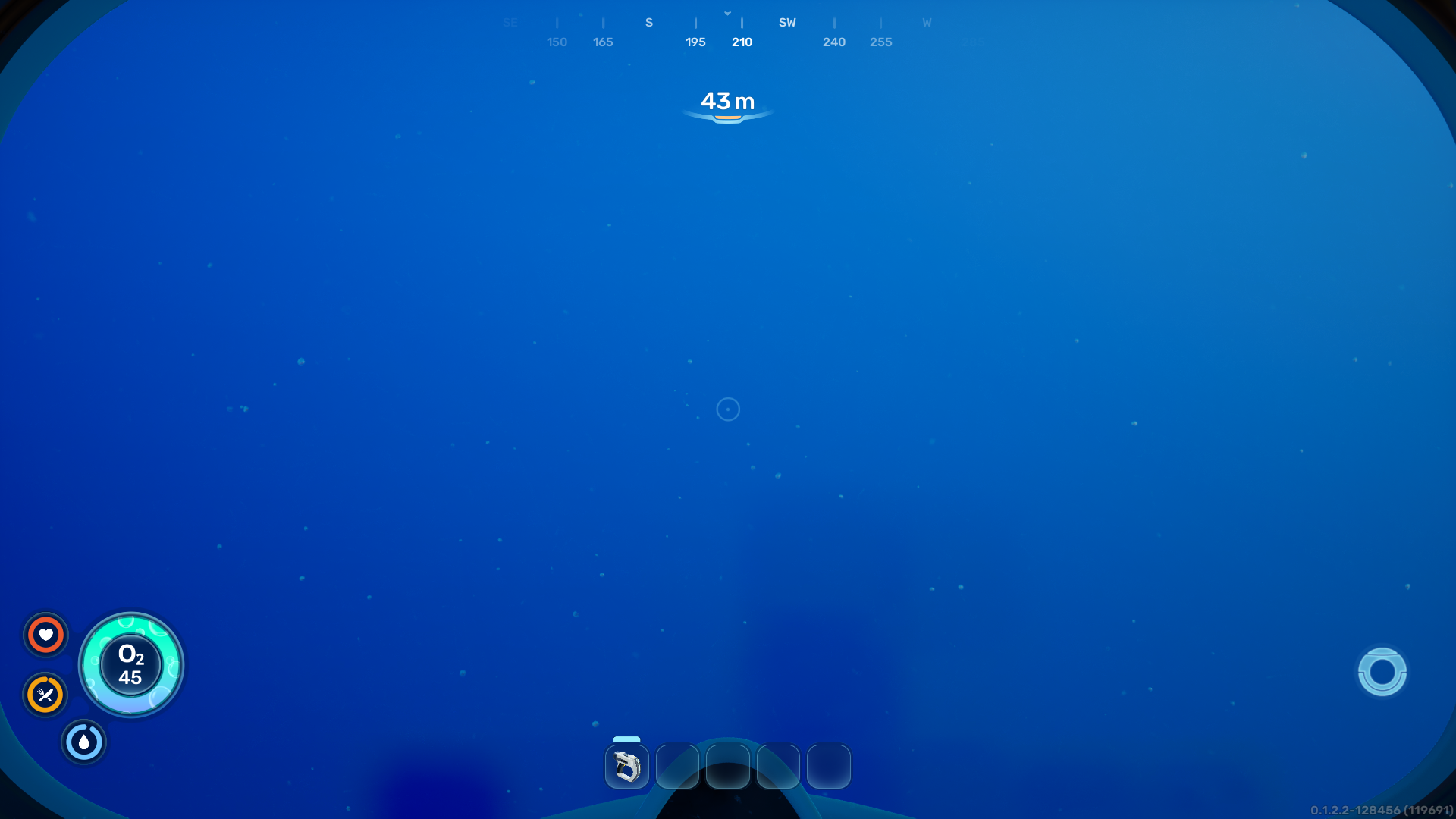
The HUD (Heads Up Display) is a vital mechanic in Subnautica 2, providing the player with important information directly on the screen.
HUD Elements
The HUD monitors the player's Oxygen, Hunger, Thirst, and Health. It also shows warnings related to Temperature. The full set of UI is only present in Survival Mode as all survival-related UI is hidden in Creative Mode.
When the PDA is opened, the sustenance and health UI will display numerical values in place of the icons, allowing players to track the exact amount of hunger they will gain from food, and how long they have until they must eat or drink.
At the top of the HUD is the Depth Meter which denotes how far the player is below the surface of the water, in meters. A compass with 15 degree intervals is displayed directly above the depth meter.
When the player has a notification from NoA, a pulsating NoA core icon will appear at the bottom right of the HUD, staying there until the player speaks with NoA.
Temperature warnings are displayed when the player is in an extremely hot area such as the Graveyard or thermal vents. The warning displays an icon relating to the type of warning and its severity (hot or cold). At critical temperature levels, a secondary warning and voice line will appear.
Pinned recipes, if there are any, are visible in the top right of the HUD at all times. Recipes can be pinned by right-clicking them in the blueprints menu of the PDA.
Toolbar
The Toolbar is located in the bottom section of the HUD. Players may select which items are to be accessed via the Toolbar. There are five slots to use.
There is selection of items that can be put in the Toolbar. These primarily include edible lifeforms, Tools, and some Equipment.
How to Use
- Open the PDA
- Hover the mouse cursor over the item that is to be assigned to the Toolbar
- Press the corresponding number key to assign the item to a slot
- Alternatively, drag and drop an item into a slot, which replaces the previous item assigned to the slot (if there was one)
- Close the PDA and press the correct key to equip the item assigned to that slot.
Gallery
HUD
   
Toolbar
 
