In Subnautica 2, the player takes control of one of four Qualified Investigators, the last Pioneer printed by NoA in Sleep Bay 3. Chosen to investigate the catastrophe that has befallen the Pioneer colony on the alien moon Proteus, the Investigator is promised hazard pay. Stranded and alone on this oceanic world, the Qualified Investigator must explore and adapt to survive or be eaten.
PDA
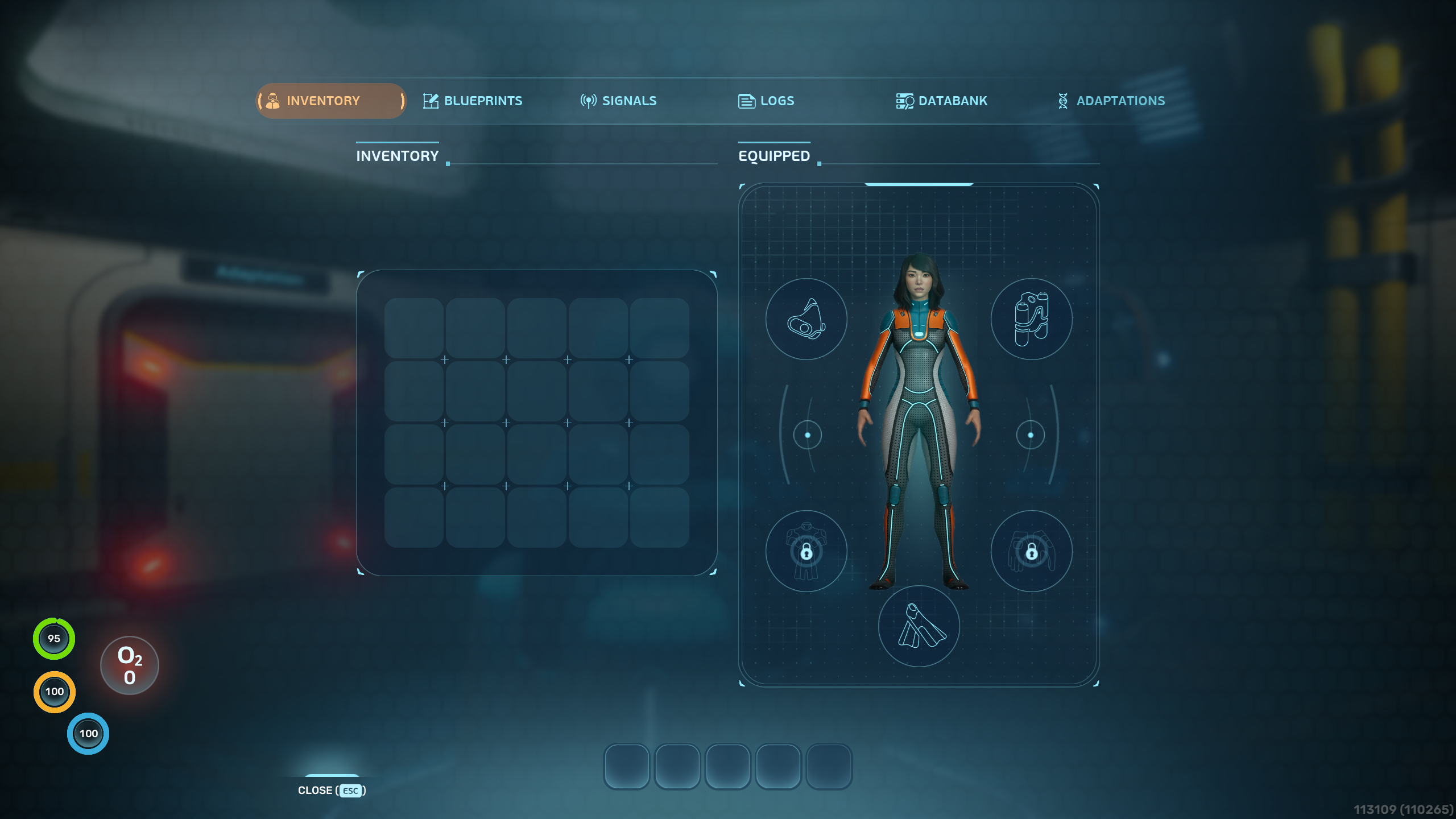
The PDA is the player's best friend. It allows access to the player's inventory, equipment, databank, and signals, and allows the viewing of blueprints, logs, and adaptations.
Inventory
The player's inventory is where all items they acquire are placed. From the inventory, items can be consumed, equipped to the hotbar, or dropped back into the world. When hovered, items give a brief description and show the different controls that can be used. Tools can be assigned to individual hotbar slots by using the number keys or left mouse button while hovering over the tool. While in the hotbar, tools can be taken out and used with the number keys while the PDA is closed. They also do not take up inventory space while in the hotbar. Assigned tools can be unassigned by assigning another tool over its slot or by left clicking the tool in the hotbar.
Equipment
 Equipment in the inventory can also be left clicked to equip it to the player. Equipment falls under five different slots corresponding to the player's body: head/face, back (air tank), body, feet, and hands. Only one piece of equipment can be worn in each equipment slot, which naturally should be the most upgraded piece of equipment the player has access to. Equipment can be unequipped by left clicking it on the right side of the PDA interface. Equipped Passive and Active Biomods are also visible above the player on this screen.
Blueprints
 The Blueprints tab shows all of the player's currently unlocked blueprints, as well as any partially unlocked blueprints and their scan progress. Sections of the blueprints tab can be collapsed. Individual blueprints can be "pinned" to the top right of the screen with right click, making its recipe visible at all times. Pinned blueprints can be unpinned at the top right while the PDA is open.
Signals
 The Signals tab shows all unlocked signals and allows them to be toggled on and off. Signals are UI elements guiding the player to its intended location and are visible at all times while enabled. Signals can be added as a result of story progression, such as the signal for the Lifepod, or can be created by the player using Beacons or Habitat Beacons. All signals, regardless of their origin, can be edited to change their name and color. Signals cannot be deleted or lost in any way.
Logs
 The Logs tab shows recent messages that were played through the PDA, including voice messages and PDA notifications. The list of logs saved is not infinite, but can be scrolled down and holds a significant number of dialogue messages. Voice messages can be replayed by clicking the play button on the right.
Databank
 The Databank tab shows all of the player's unlocked databank entries, which provide information on survival, the environment, the player's background, and any important story-relevant information that is logged in the databank. Databank entries are sorted into collapsible categories and can be selected to view on the right. Databank entries are unlocked by exploring, scanning objects or lifeforms, and collecting blackboxes.
Adaptations
 The Adaptations tab shows all of the player's unlocked adaptations. By default, the player has no adaptations but unlocks Pressure Tolerance early on. The interface gives a brief description of all unlocked adaptations and shows a helix indicating how many more are left to find. Currently, there are four available adaptations out of the six shown.
Game Modes
Game Modes are selected when first creating a new save. The game modes currently available are Survival Mode and Creative Mode.
- Survival Mode: Requires the player to manage their Oxygen, Food, and Water, as well as health. The player can die in survival mode, sending them back to their current respawn point.
- Creative Mode: The player has no health, oxygen, food, or water, and unlocks all blueprints by default. Any blueprint can be built for free, and seabases do not need power to function. The player can explore freely.
Customization
When starting a new save or joining a new multiplayer world, the player may choose their character and customize them. These customizations are purely cosmetic and have no effect on gameplay.
There are six different pioneers that can be chosen as the Qualified Investigator: Triage, Felix, Stone, Tether, Grace, and Jegna. Their AEP Suit color can also be changed, choosing between orange, blue, green, red, yellow, purple, pink, and white.
More customization options are planned.
| Pioneer Name | Image |
|---|---|
| Triage |  |
| Felix |  |
| Stone |  |
| Tether |  |
| Grace |  |
| Jegna |  |
Gallery
| Description | Image |
|---|---|
| The PDA Blueprints tab on a fresh survival save |  |
| The PDA Logs tab on a fresh survival save |  |
| The PDA Databank tab on a fresh survival save |  |
| The PDA Adaptations tab on a fresh survival save |  |
| The character selection screen |  |
| The character customization menu |  |
